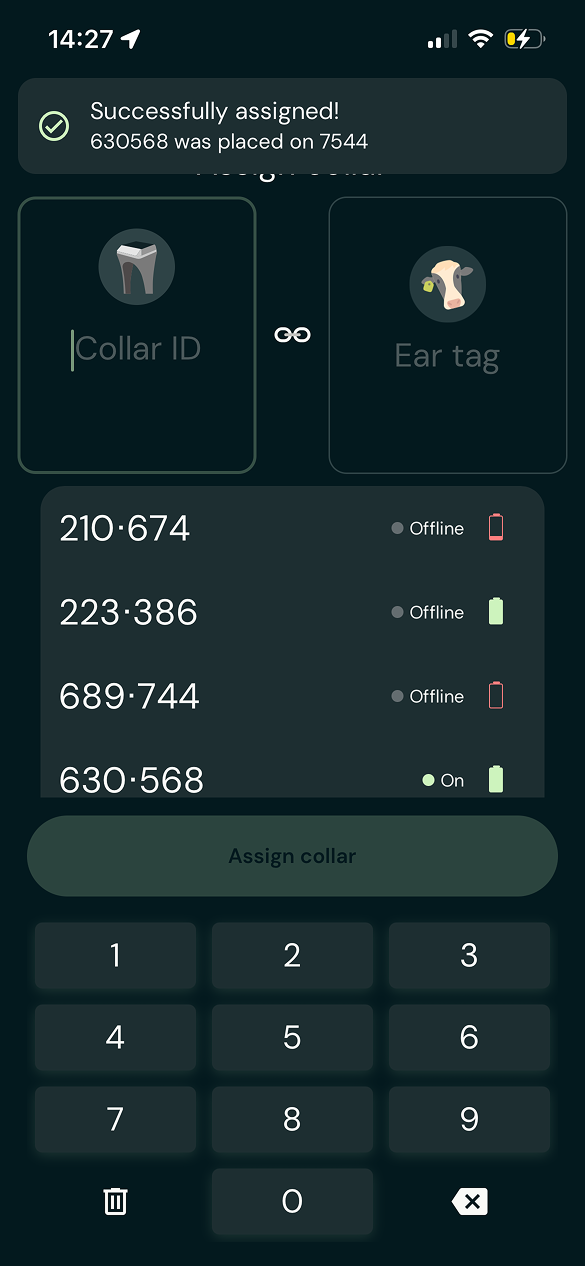
Assigning collars to animals in the app
Here's how you can assign collars to animals in the Monil app.
After you have added your collars in the app, you need to assign them to animals in order to see them on the map and move them to virtual fences. We recommend doing this during installation, so it’s easier to keep track of which animal is wearing which collar.
1. Open “Assign collar“ screen
Under Animals in the menu, you’ll find a button called “Assign collar” in the top right corner. Tapping it will open a new screen.
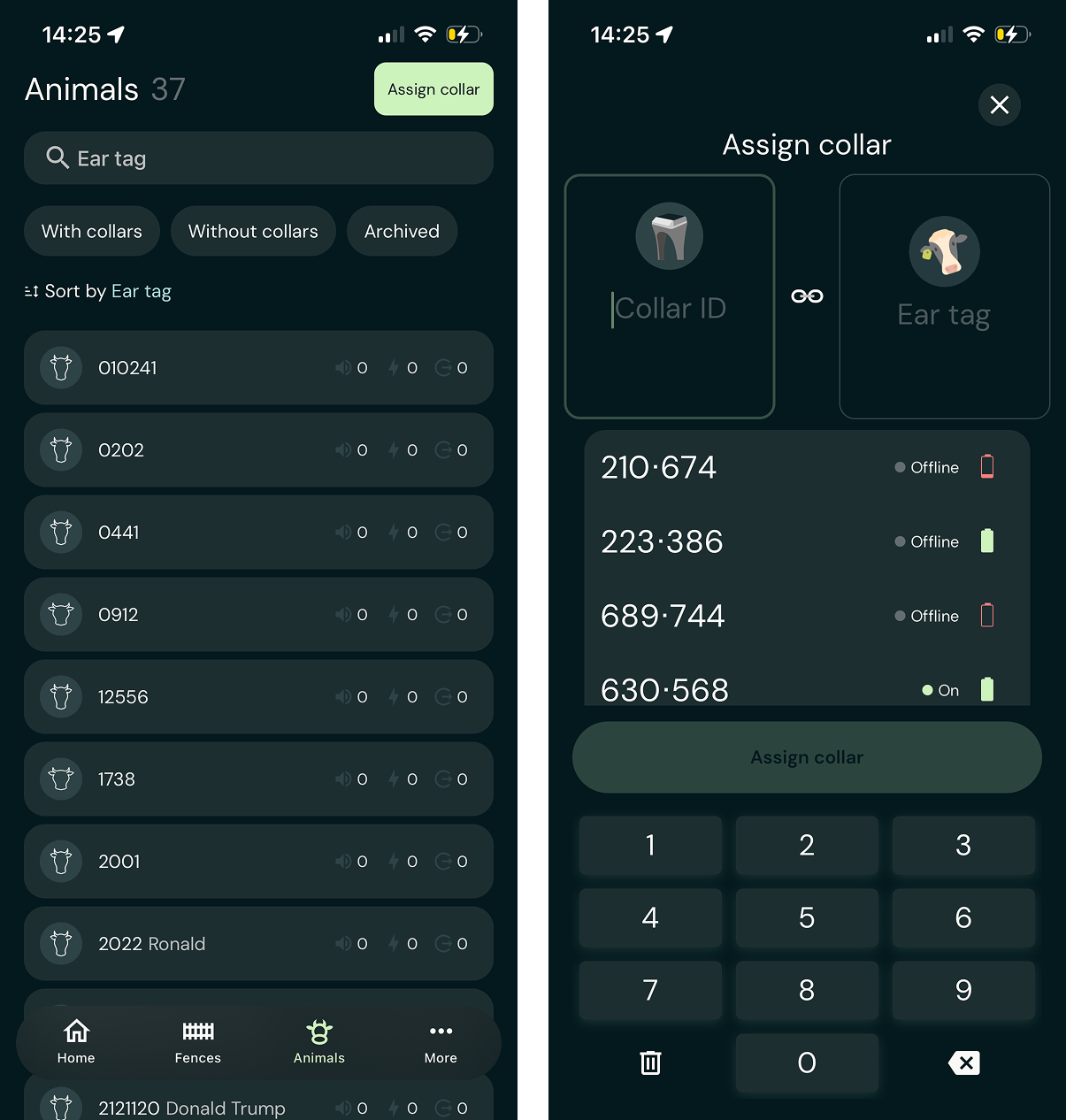
2. Chose Collar and Animal
First, enter or select the desired collar from the list. Then you can either choose an existing animal or create a new animal for the collar to be assigned to.
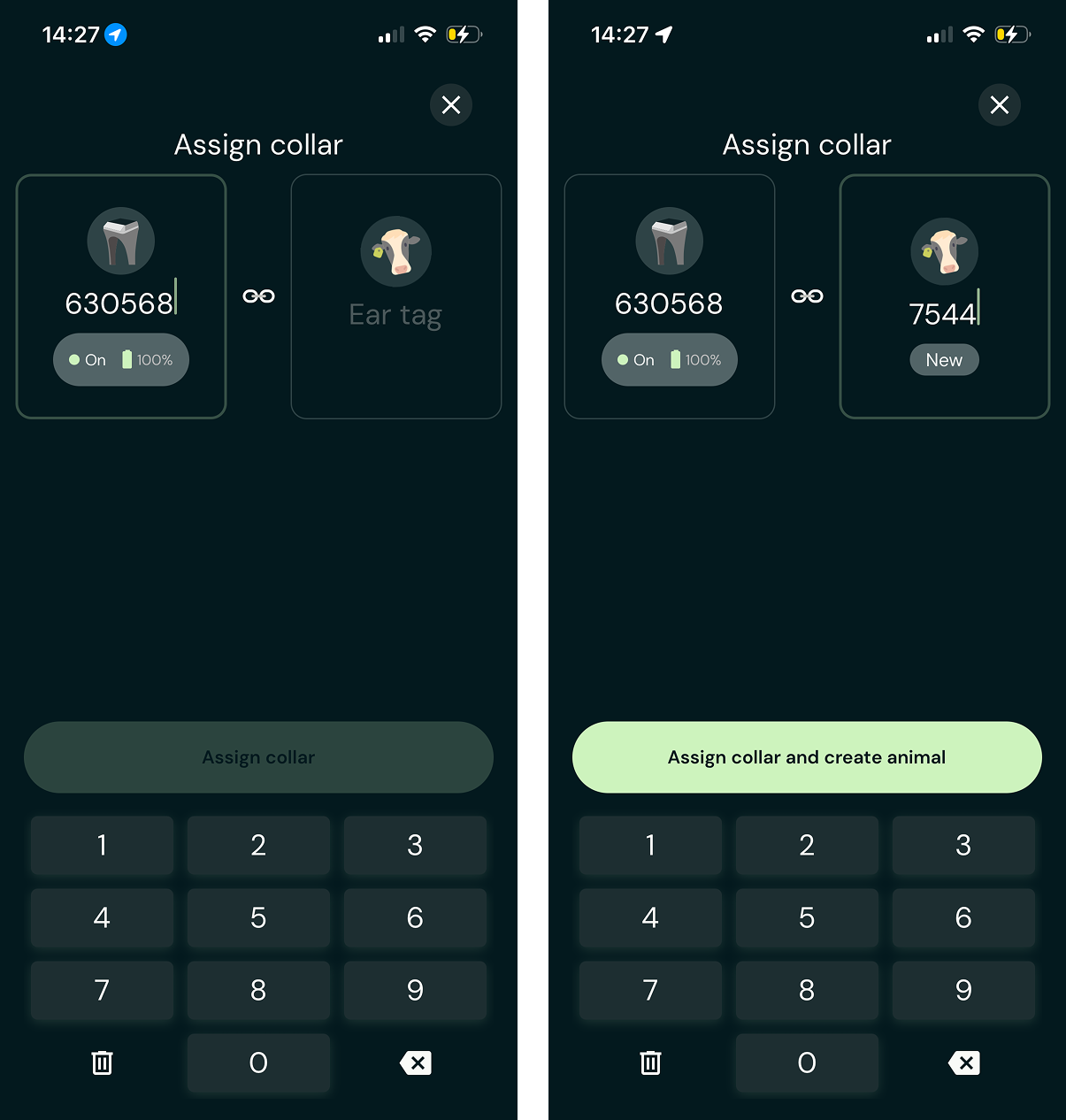
3. Assign collar to animal
Next, tap “Assign collar and create animal.” You can then continue assigning additional collars to animals.